
Capabilities
A map of what your shop can do. It answers the question that otherwise goes to support: "do I even have this?".
How to open it
The Capabilities item at the bottom of the rail.
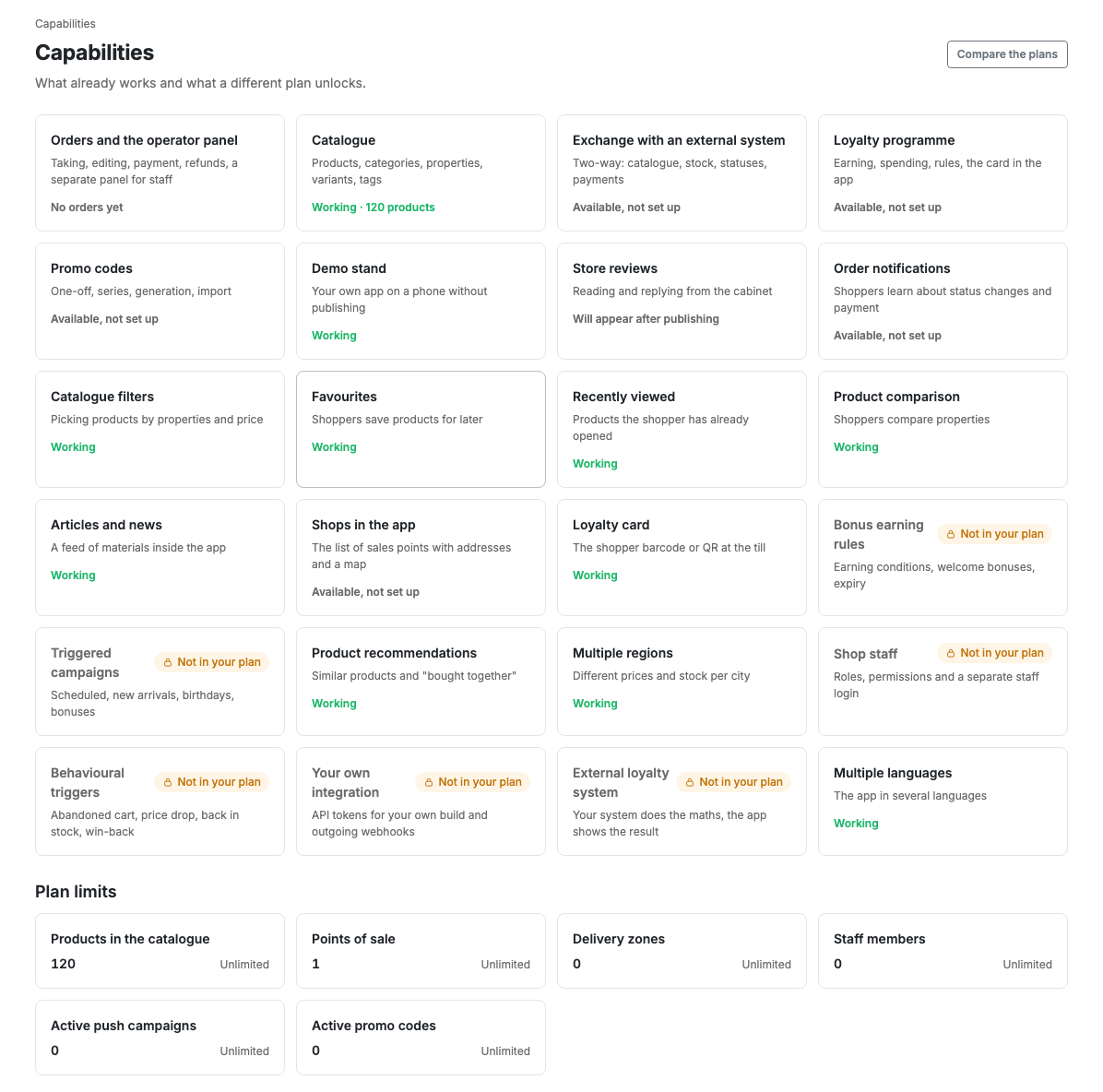
Reading the cards
Each card is one capability: a name, a short description and a state.
| State | What it means |
|---|---|
| Working | The feature is on and set up. Sometimes with a figure: "Working · 120 products" |
| Available, not set up | Your plan allows it, but you have not got to it yet |
| Appears after publication | The feature starts working once the app is in the stores |
| Not available on your plan | The feature opens in a different plan |
A card is clickable and leads to where the capability is handled: a working one to its settings, a locked one to the plans.
Features locked by plan are deliberately not hidden. A hidden feature looks like one that does not exist, and nobody finds out about it.
Plan limits
At the bottom of the page are the limit counters: products in the catalogue, points of sale, delivery zones, staff, active push campaigns, active promo codes. Next to the current value stands the plan ceiling or a note saying there is none.
A counter at its ceiling looks the same as a plan-locked feature. It is not highlighted in red: a limit is not an error.
The "Compare plans" button
Opens Plan and billing, where you can see what each plan includes and how they differ.