
Google Play
The text description of the app for Google Play: name, short description and full description. The icon, cover and screenshots are set in App graphics.
How to open it
The rail, the Growth group, Publication, the Google Play tab.
What you can do
- Fill in the app name and descriptions
- Give the link to the account deletion instructions
The interface
The heading is at the top and the Save button at the bottom of the form. Text fields show a character counter.
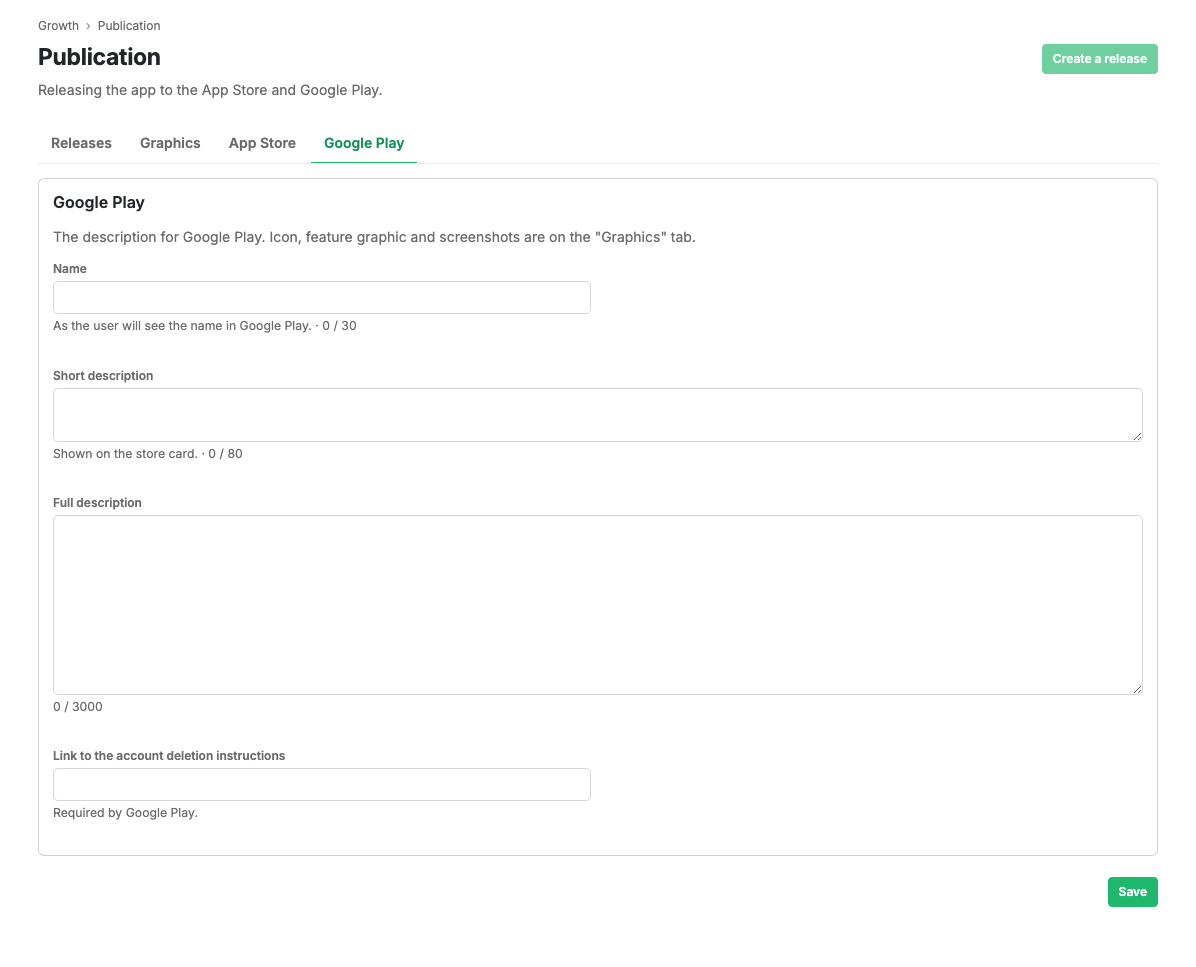
Fields
- Name: up to 30 characters, as the shopper sees it in Google Play.
- Short description: up to 80 characters. Shown on the store card.
- Full description: up to 3,000 characters.
- Account deletion instructions link: a URL. A mandatory Google Play requirement.
Scenarios
Fill in the Google Play listing
- Enter the name and the short description.
- Fill in the full description.
- Add the account deletion instructions link.
- Press Save.
Limits and caveats
- The account deletion instructions link is mandatory under Google Play rules.
- Field lengths are limited; the counter shows what is left.
- While a request is in review, editing is blocked until moderation finishes.
Related pages
Updated 04.09.2026 18:04
Was this page helpful?