
Screens
The hub where work on the storefront starts. It shows every app screen as a card: what is configured, what shoppers see and what is switched off.
How to open it
The rail, the App group, Screens.
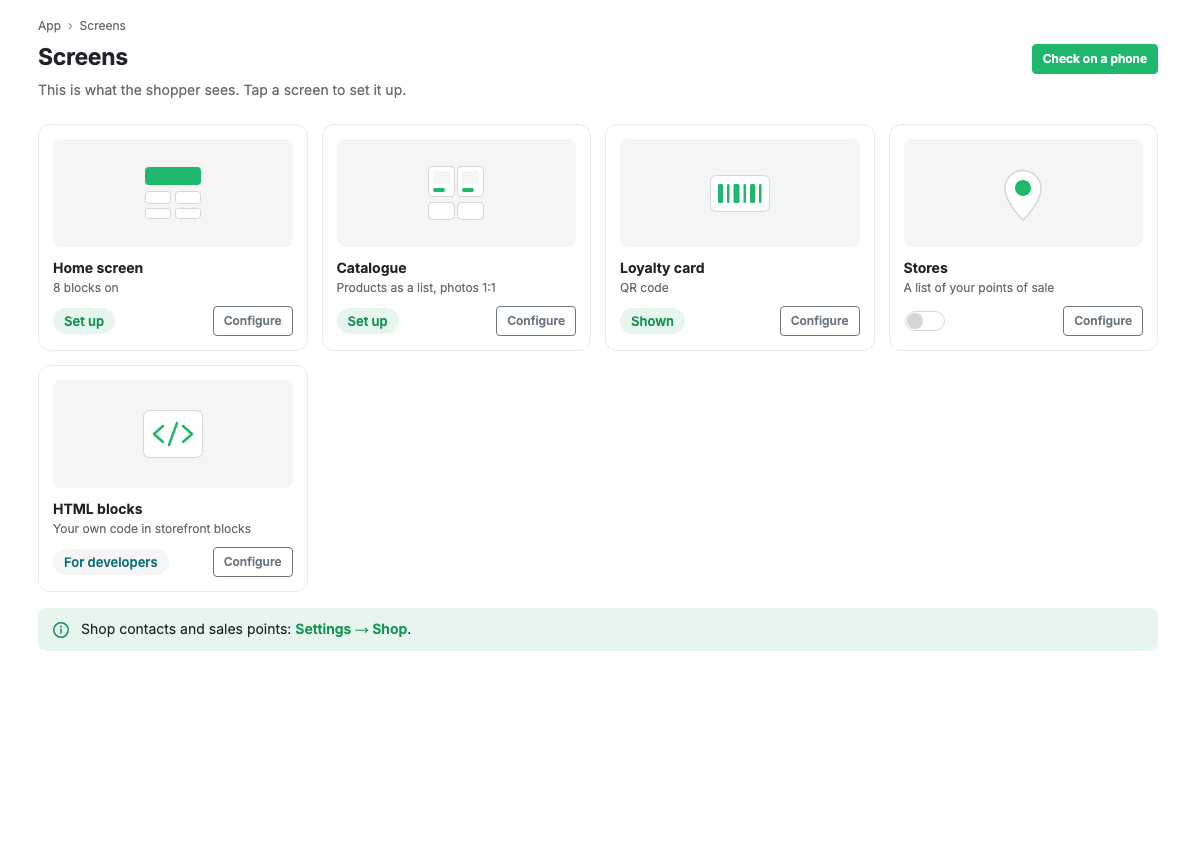
The cards
| Card | What it configures |
|---|---|
| Home screen | Storefront blocks: banners, product picks, sections, stories |
| Catalogue | How the product list and the product card look |
| Loyalty card | The shopper's bonus card: barcode or QR |
| Stores | The list of points of sale and the map in the app |
| HTML blocks | Your own code in storefront blocks. Marked "For developer" |
Under the card name is the current state: how many blocks are on, which code the card is encoded with, which layout the catalogue uses. The badge on the left says whether the screen is configured, and the switch turns the whole screen on or off.
The "Open on phone" button in the header opens the demo environment.
What is not here
The shop contacts and points of sale live in the Store settings, and the checkout form with delivery, payment and statuses in the Taking orders settings. Both moves are noted in a hint at the bottom of the page.
Font, colours and the bottom menu are configured in Appearance.