
Publication
The path of an app from a request to a store. The section gathers everything the App Store and Google Play need and carries the request through to release.
How to open it
The rail, the Growth group, Publication.
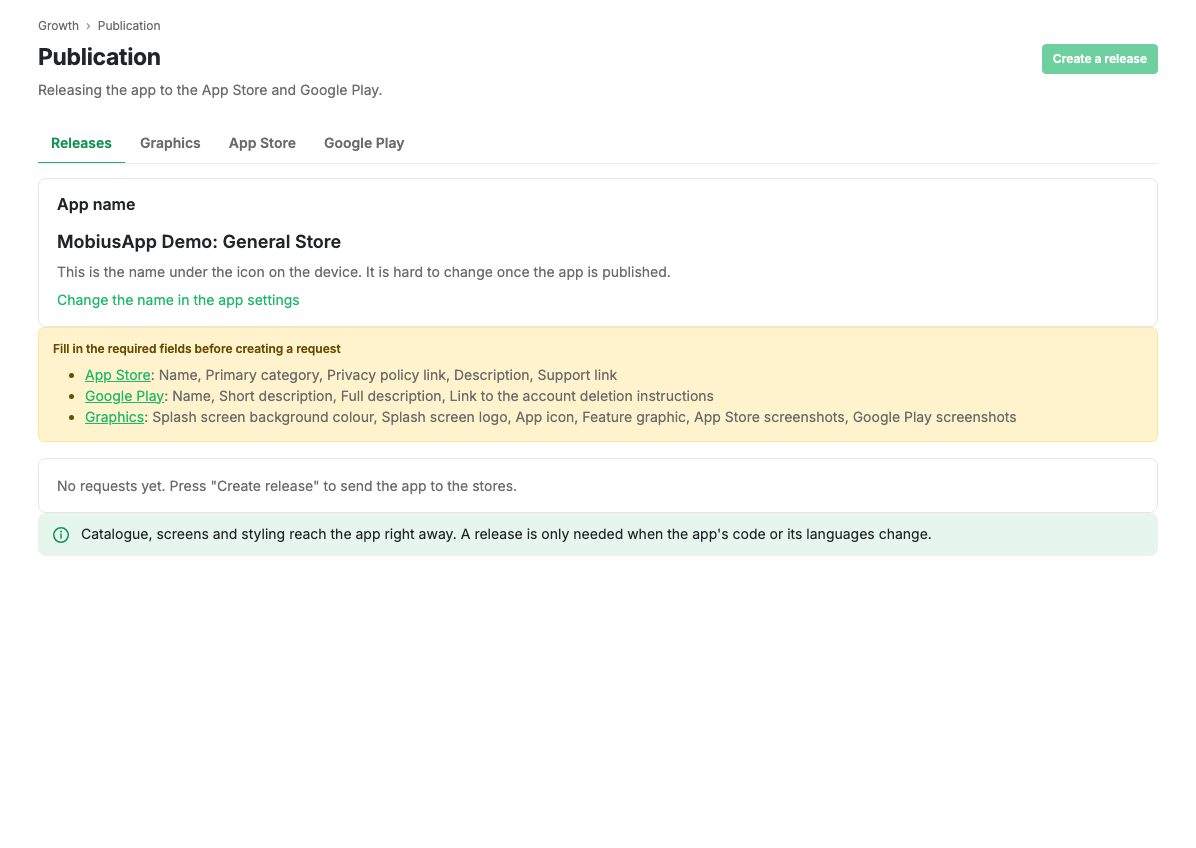
Tabs
| Tab | What is inside |
|---|---|
| Requests | The list of publication requests and the stage of each |
| App graphics | Icon, splash screen, cover and store screenshots |
| App Store | Name, description, categories and the details Apple review needs |
| Google Play | Name, description, categories and the Google questionnaires |
The order of work
- Fill in the graphics: icon, splash screen, cover and screenshots.
- Fill in the App Store details.
- Fill in the Google Play details.
- Create a publication request.
The same order is mirrored by the checklist on the Today screen: while the app is not out, it shows how many steps are left.
Limits and caveats
- Publication starts with a plan. Building the app and trying it on a phone are free; payment is needed to reach the stores. Until there is a subscription, an invitation to look at the plans is shown instead of the tabs.
- Review times are set by the app stores themselves, not by the platform.
Updated 04.09.2026 18:04