
App graphics
The graphic materials shared by both stores: the splash screen, the icon, the cover and the screenshots. These materials are used when a publication request is created.
How to open it
The rail, the Growth group, Publication, the App graphics tab.
What you can do
- Set the splash screen: background colour and logo
- Upload the app icon and the graphic cover
- Upload and reorder screenshots for the App Store and Google Play
The interface
The heading is at the top and the Save button at the bottom of the form.
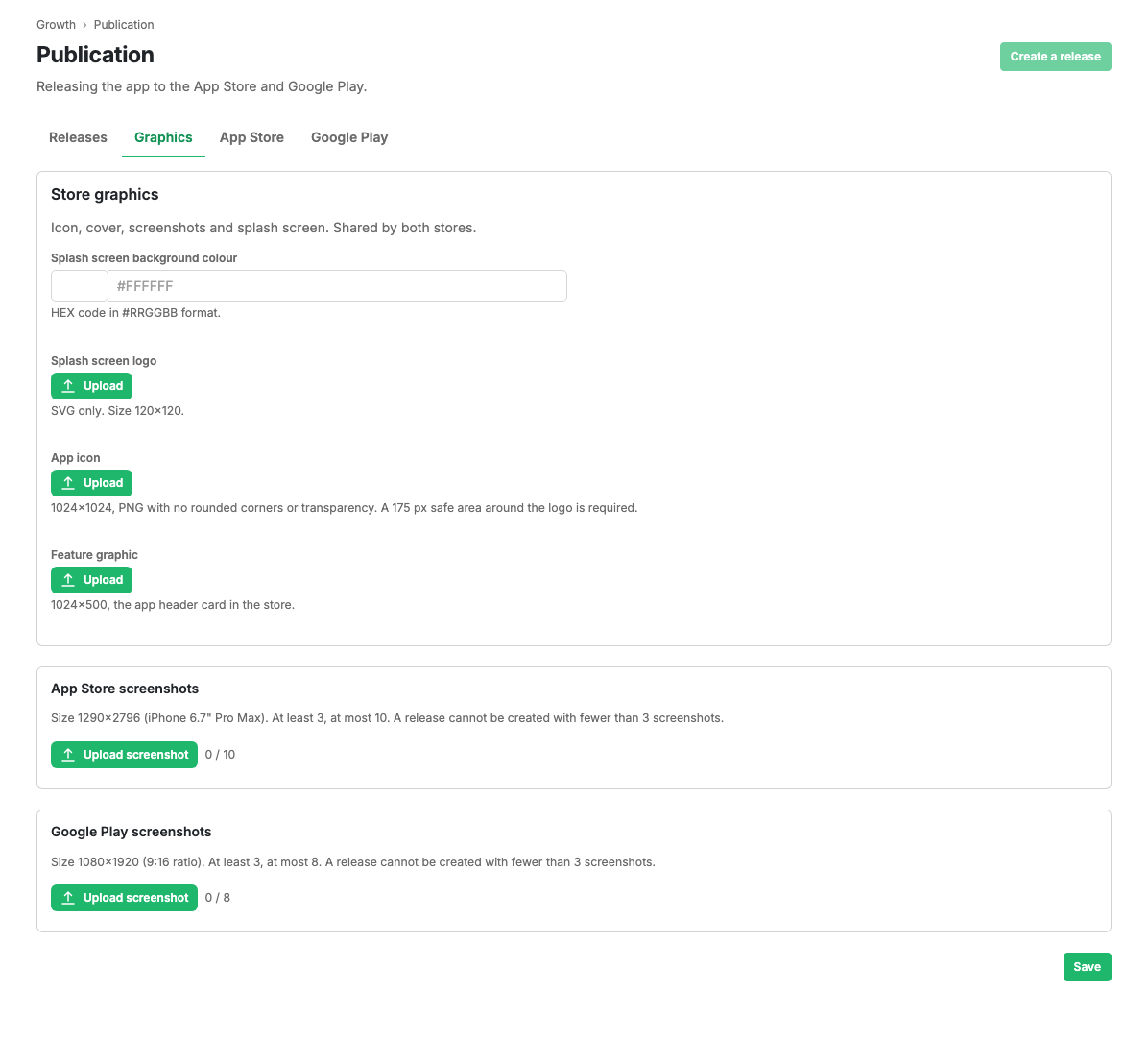
Splash screen and graphics
- Splash screen background colour: a HEX code in
#RRGGBBform. - Splash screen logo: SVG only, 120×120.
- App icon: 1024×1024, PNG without rounding or transparency. The logo needs 175 px of safe margin around it.
- Graphic cover: 1024×500, the app's header card in the store.
Screenshots
- App Store screenshots: 1290×2796 (iPhone 6.7"). Three minimum, ten maximum.
- Google Play screenshots: 1080×1920 (9:16). Three minimum, eight maximum.
Screenshots are uploaded with a button, reordered by dragging and deleted one by one. JPEG, PNG and WebP files are accepted.
Scenarios
Prepare the graphics for a release
- Set the background colour and upload the splash screen logo.
- Upload the icon and the cover.
- Add at least three screenshots for each store.
- Press Save.
Limits and caveats
- Without three screenshots for each store a publication request cannot be created.
- Image dimensions are checked on upload: a file of the wrong size is not accepted.
- While a request is in review, editing the materials is blocked until moderation finishes.
Related pages
Updated 04.09.2026 18:04
Was this page helpful?