
Category card
The form for creating and editing a catalogue category. An existing category shows its ID next to the heading.
How to open it
- New category: the "New category" button in the category list.
- Editing: the Edit action in a category row, or a click on the name of a category with no subcategories.
What you can do
- Set the category name
- Switch it active or inactive
- Choose a parent category
- Upload an image and set the display order
The interface
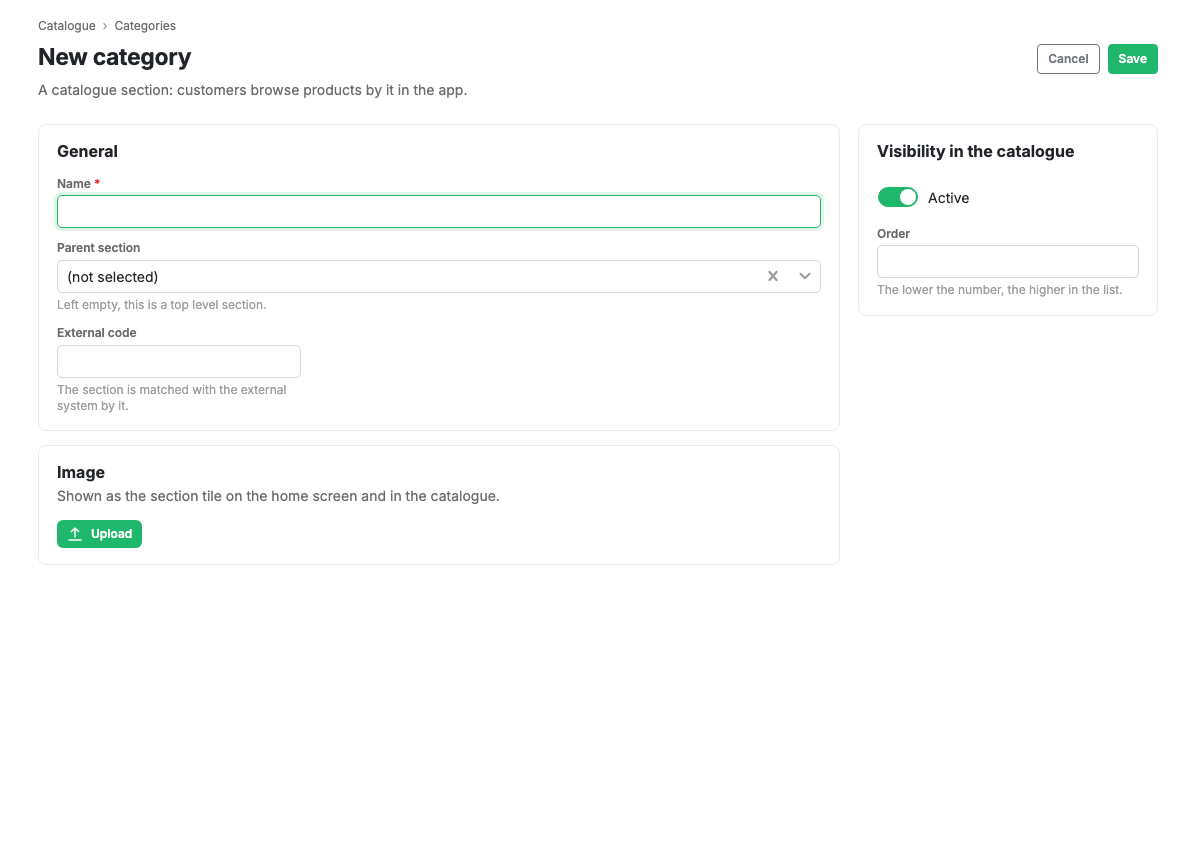
- Active: the switch for category visibility in the app.
- Name: required.
- Parent category: the category above. Left empty, the category becomes a top-level one.
- Ordering: a number that sets the display order.
- External code: the category code in an external system. Latin letters,
digits,
_and-only. - Image: the category picture.
The Cancel and Save buttons are in the form header.
Scenarios
Create a category
- Press "New category" in the category list.
- Enter the name.
- Choose a parent category if needed.
- Press Save.
Related pages
Updated 04.09.2026 18:04
Was this page helpful?