
Bonus ledger
The history of bonus movements: who, how much, what for and in what state.
How to open it
Sales, Customers, the Operations log tab.
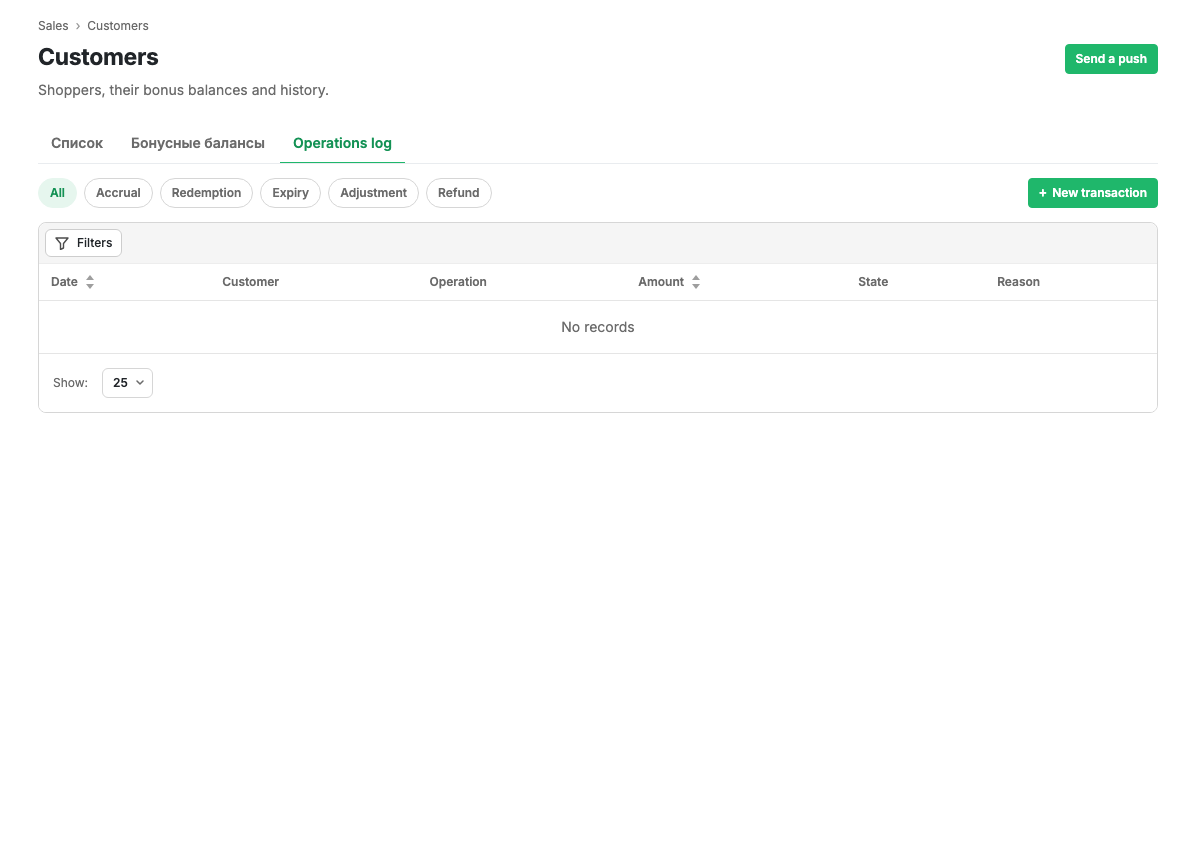
Operation types
The buttons above the table filter operations by type:
| Type | What it is |
|---|---|
| Accrual | Bonuses for a purchase or by a rule |
| Redemption | Bonuses the shopper paid with |
| Expiry | Bonuses whose lifetime ran out |
| Adjustment | A manual balance change by an operator |
| Refund | Bonuses returned after an order was cancelled |
Table columns
| Column | Contents |
|---|---|
| Date | When the operation happened |
| Customer | Who it belongs to |
| Operation | The type and a short explanation |
| Amount | Signed: accruals positive, redemptions negative |
| State | Completed or awaiting activation |
| Reason | The order or rule that produced the operation |
What you can do
- Filter the ledger by shopper, operation type, period and state.
- Create an operation by hand with the "New transaction" button: credit bonuses for something the rules do not cover, or correct a balance.
Manual transactions
Manual accruals and deductions are needed rarely: as compensation for a problem or as a correction. Such an operation is marked as an adjustment in the ledger, so it stays visible that the balance was touched by hand.
Limits and caveats
- An operation cannot be deleted. A mistaken accrual is cancelled by an opposite operation, and both stay in the ledger.
- Expiry runs on a schedule, not at the moment you open the page.
Related pages
Updated 04.09.2026 18:04
Was this page helpful?