
Push campaigns
Notifications that arrive on the shopper's phone while the app is closed. They are a way to bring someone back: remind them of an abandoned basket, tell them something is back in stock, wish them a happy birthday.
How to open it
The rail, the App group, Push campaigns. Three tabs:
- Campaigns: what is already running.
- Recipes: ready-made triggers you switch on with one button.
- Sending rules: quiet hours, frequency and the master switch.
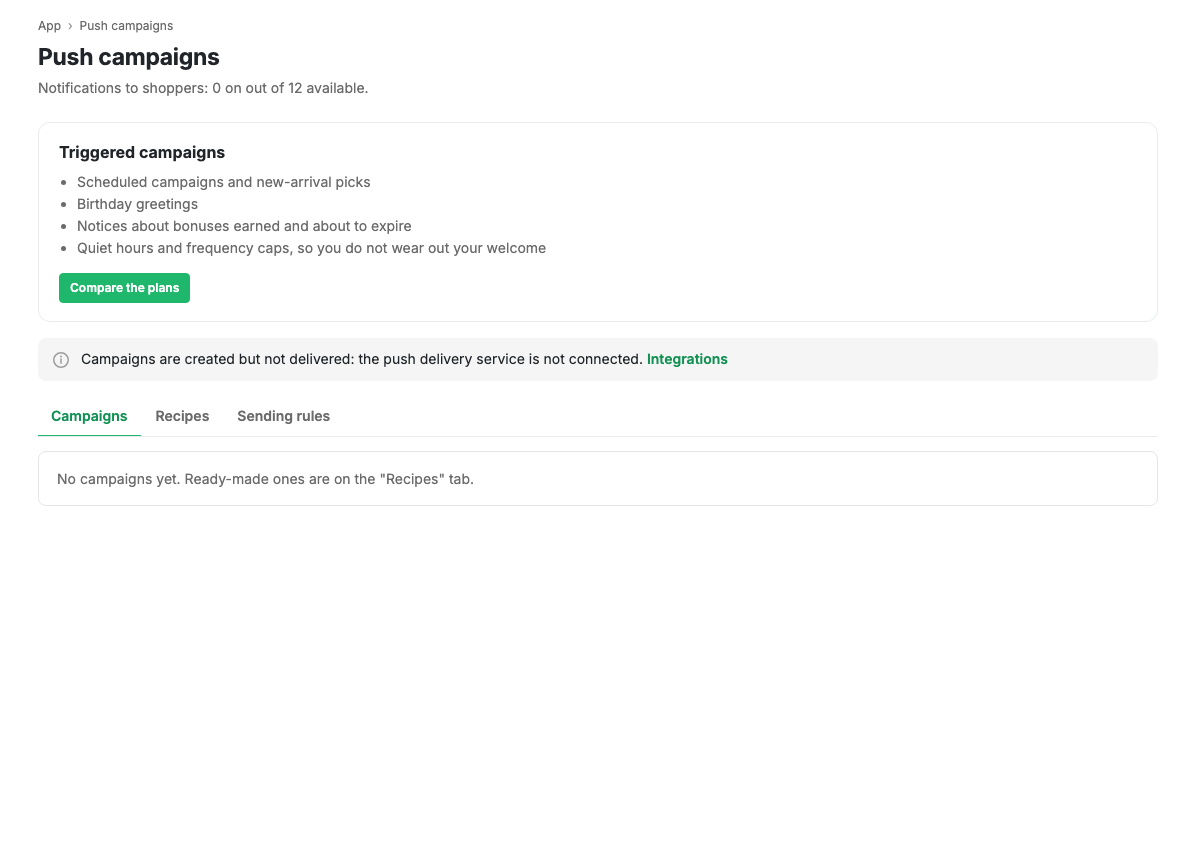
The page subtitle shows how many campaigns are on out of what your plan allows.
Where to start
Do not write your first campaign from scratch. Open Recipes: there are a dozen ready triggers there, each with its condition, audience and text already set. Press Create, adjust the text for your shop and switch it on.
Writing your own campaign from scratch makes sense when you need a one-off announcement for a promotion.
What campaigns need in order to send
Push is delivered by an external service. Until it is connected, campaigns are created and configured but not sent: a separate notice on the page says so and links to Integrations.
Push only reaches people who installed the app and allowed notifications. So before publication there is nobody to send to.