
Campaign card
The trigger that sends the notification, and the text the shopper will see.
How to open it
Push campaigns, the create button or a click on a row in the list.
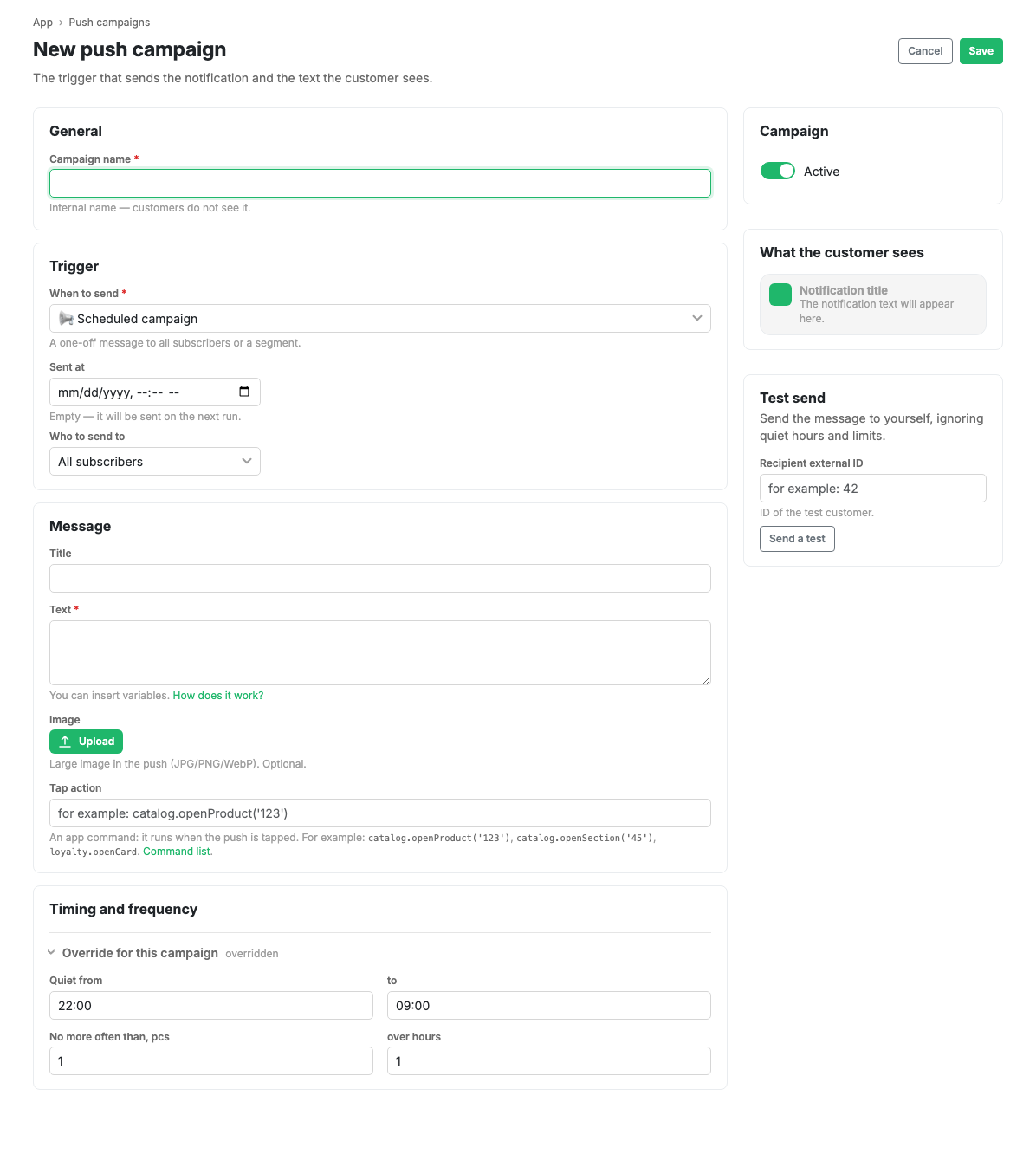
General
Campaign name is an internal name that shoppers never see. It is there so you can tell campaigns apart in the list.
Trigger
When to send picks the event that fires the push. The options cover both one-off announcements (a scheduled campaign) and shopper events (order paid, status change, bonuses accrued, abandoned basket, birthday, a returning shopper).
A scheduled campaign gains a send date and time. An empty field means "goes out on the next run".
Who to send to narrows the audience: all subscribers or part of them.
Message
- Title and text. The text is required, the title is not.
- Variables can be inserted into the text, for example the shopper's name or a product name. The "How does this work?" link next to the field opens the list.
- Image: a large picture in the push, optional. JPG, PNG or WebP.
- Tap action: an app command that runs when the shopper taps the notification. For example, open a product or a catalogue section, or the loyalty card. The full list is in Push tap actions.
The "How the shopper will see it" block on the right shows the notification as it will arrive on a phone.
Timing and frequency
By default a campaign obeys the general sending rules: quiet hours and the frequency limit. The "Override for this campaign" block lets you set your own quiet window and frequency when the general rules do not suit this particular campaign.
Test send
The block on the right sends the message to a single shopper, bypassing quiet hours and frequency limits. You enter the recipient identifier. It is the only way to see the notification on a real phone before switching the campaign on.
Limits and caveats
- The Active switch at the top right turns the campaign on. While it is off, a saved campaign goes nowhere.
- While the push delivery service is not connected, the test send will not work either.