
Bonus balances
How many bonuses each shopper holds, and how many of those are not yet activated.
How to open it
Sales, Customers, the Bonus balances tab.
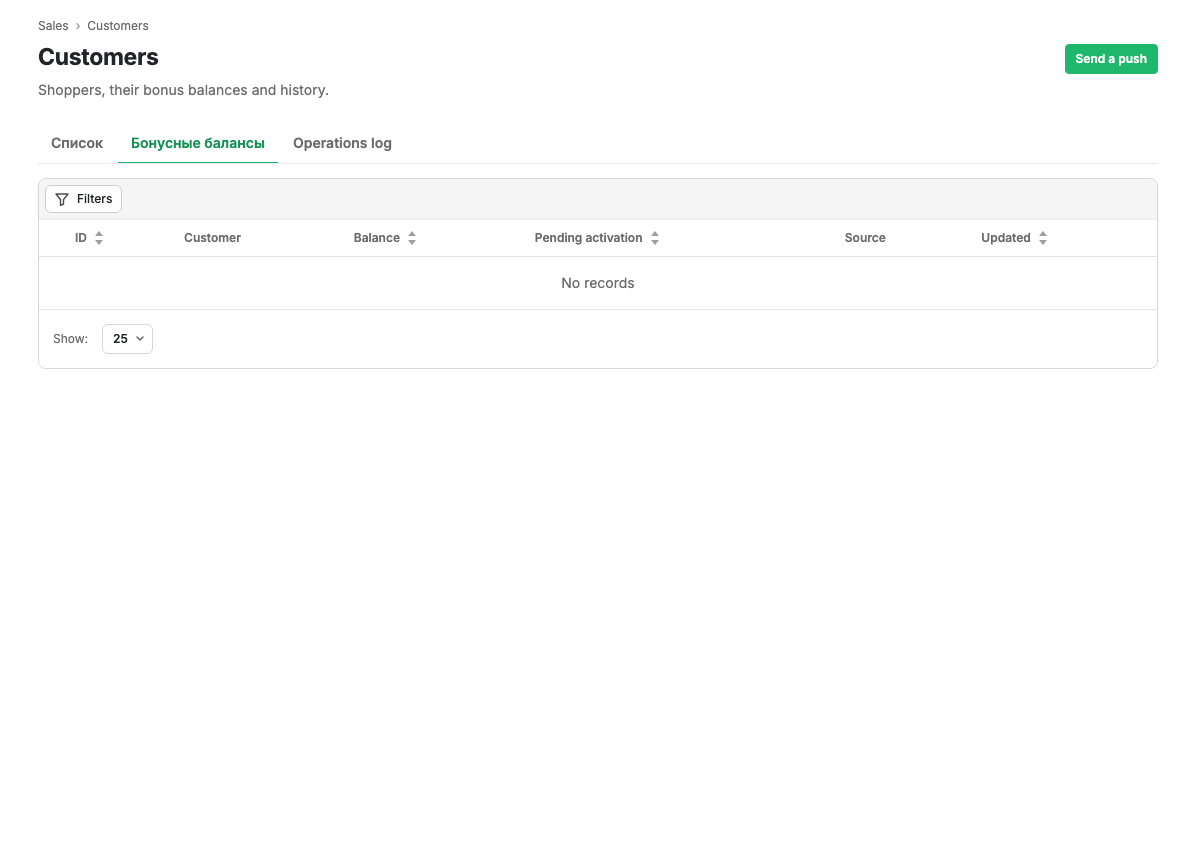
Table columns
| Column | Contents |
|---|---|
| ID | The shopper's internal number |
| Customer | Name and the contact they signed in with |
| Balance | Bonuses that can be spent right now |
| Awaiting activation | Accrued bonuses that cannot be spent yet |
| Source | Who keeps the balance: the cabinet or an external loyalty system |
| Updated | When the balance last changed |
The table sorts by balance, by the amount awaiting activation and by the update date.
What "awaiting activation" means
Bonuses for a purchase are not credited immediately: they wait until the order reaches the status at which the accrual becomes final. That way a shopper cannot spend bonuses for an order that is later cancelled.
The accrual threshold and the lifetime of bonuses are configured in the Loyalty and bonuses settings group.
What you can do
- Filter shoppers by balance size and by source.
- Open the row menu and go to the customer card or to their operations.
Limits and caveats
- If an external loyalty system keeps the bonuses, it is named in the Source column and the cabinet shows what that system returned. The balance then has to be edited there.
- A shopper with no accruals at all does not appear in the table.
Related pages
Updated 04.09.2026 18:04
Was this page helpful?