
Integrations
A catalogue of external services that can be connected to the app: analytics, push notifications, accounting systems and a backend on a third-party CMS. Each service is shown as a card with its connection status.
How to open it
Settings, the Data exchange group, the Integrations tab. The section also opens through cabinet search by the word "integrations".
What you can do
- See the available external services and their status
- Open a service card to connect and configure it
The interface
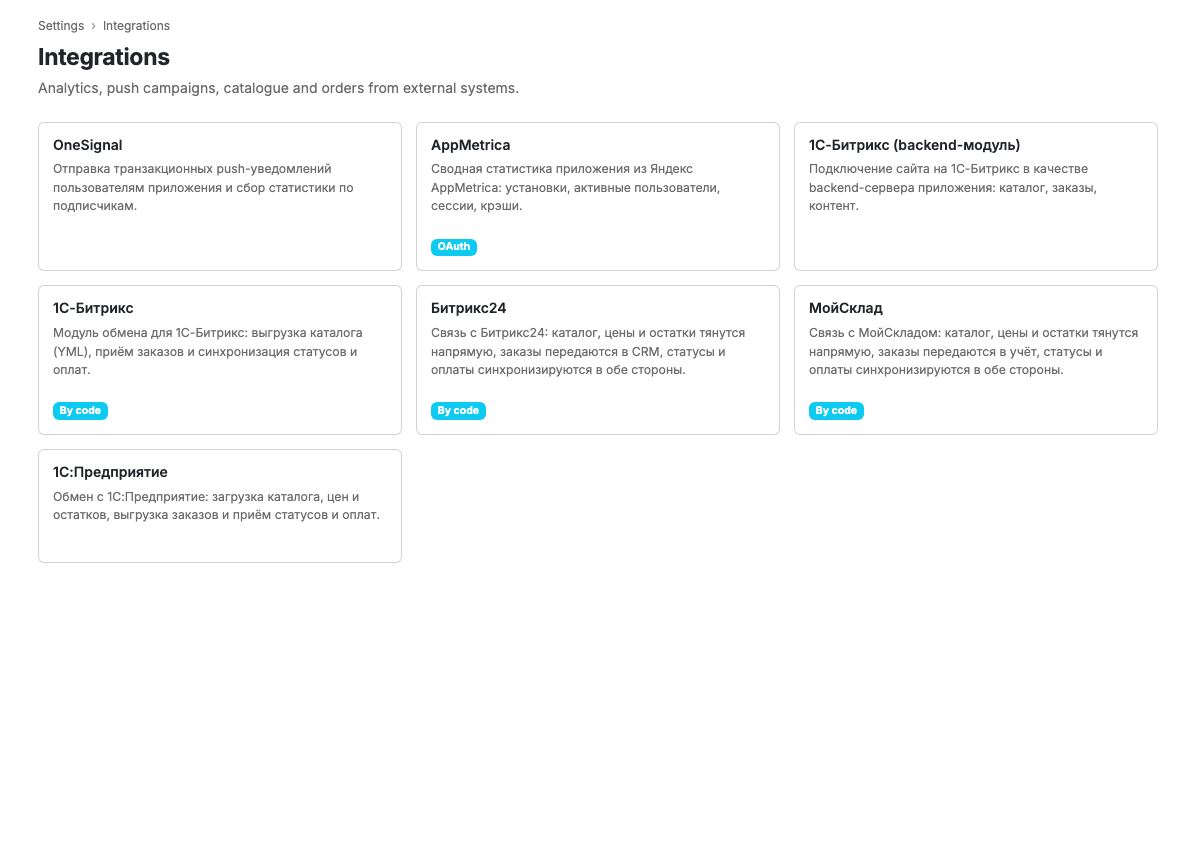
Services are shown as cards. A card carries the name, a short description, the connection status and the connection method.
Available services
- An analytics service: summary app statistics: installs, active users, sessions, crashes.
- A push delivery service: sending push notifications and subscriber statistics.
- 1C-Bitrix (backend module): a 1C-Bitrix website as the app backend: catalogue, orders, content.
- 1C-Bitrix: the sync module: catalogue export, order intake, status and payment synchronisation. The full guide is 1C-Bitrix integration.
- MoySklad: catalogue, prices and stock directly, orders passed to accounting, two-way status and payment synchronisation.
Connection status
- Connected: the service works.
- Disconnected: the connection is switched off.
- Waiting for the module: a code is generated, waiting for the service side to connect.
- Waiting for authorisation: the sign-in through the service needs finishing.
- Reauthorisation required: access needs refreshing.
- Error: the last synchronisation raised an error.
Connection method
The card also shows the method: signing in through the service, or a pairing code. If a service is not available on your current plan, the card is marked accordingly.
Scenarios
Connect a service
- Find the service in the catalogue.
- Open its card.
- Follow the connection instructions, see Integration card.
Limits and caveats
- Some services are not available on every plan.
- Payment gateways and delivery services are connected in the Taking orders settings, not here.
Related pages
Updated 04.09.2026 18:04
Was this page helpful?